
Download LanguageTool – Free AI-Powered Grammar and Spelling Checker for Writing Improvement
LanguageTool is a cutting-edge, free online proofreading tool that leverages artificial intelligence to deliver accurate grammar, spelling, and style corrections across more than 30 languages. Whether you're writing an email, crafting a report, or editing a research paper, LanguageTool ensures your content is clear, professional, and error-free. With its intuitive interface and powerful backend engine, it’s one of the most trusted grammar checkers for students, professionals, and content creators.
The platform supports multiple browsers including Chrome, Edge, Firefox, Safari, and Opera, and integrates seamlessly with popular office suites like Google Docs, Microsoft Word, OpenOffice, and LibreOffice. For users seeking advanced features, the premium version offers rephrasing suggestions, Picky Mode for stricter punctuation checks, and personalized style recommendations. Trusted by global organizations such as BMW Group and Amazon, LanguageTool combines security, accuracy, and ease of use in a single package.
With a 20% discount available on the Premium plan, it’s a smart investment for anyone serious about improving their writing quality.
Why LanguageTool Stands Out Among Grammar Checkers
When it comes to writing enhancement tools, LanguageTool distinguishes itself through its robust AI-powered engine and broad language support. Unlike many basic spell-checkers that only catch simple errors, LanguageTool goes beyond by identifying complex grammatical issues such as subject-verb agreement, tense inconsistencies, misplaced modifiers, and awkward phrasing. Its advanced natural language processing (NLP) algorithms analyze sentence structure and context, delivering corrections that feel natural and contextually appropriate. This makes it especially useful for non-native English speakers aiming to write fluently and confidently. One of the most impressive aspects of LanguageTool is its multilingual capability. It supports over 30 languages, including Spanish, German, French, Portuguese, Russian, and Chinese, making it ideal for international teams, academic researchers, and global content creators. Whether you're drafting a business proposal in German or proofreading a blog post in Japanese, LanguageTool maintains high accuracy across all supported languages. This versatility is rare among grammar tools, which often limit their features to just English or a few major European languages. Another standout feature is the quality scoring system. After analyzing your text, LanguageTool assigns a readability and correctness score, helping users quickly identify areas that need improvement. This visual feedback is particularly helpful for writers who want to track their progress over time. Additionally, the personal dictionary allows users to add custom terms, technical jargon, or brand-specific names, ensuring that legitimate words aren’t flagged as errors. The tool also supports browser extensions and desktop integrations, so you can proofread anytime, anywhere—whether you're working in Gmail, a Word document, or a web form.Seamless Integration and Easy Installation for All Platforms
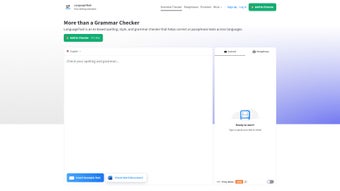
Using LanguageTool is straightforward, thanks to its wide range of integration options and simple setup process. For users who prefer a browser-based experience, the web version is accessible directly through any modern browser—Chrome, Edge, Firefox, Safari, or Opera—without the need for downloads. Simply paste your text into the editor, and within seconds, LanguageTool highlights errors with color-coded suggestions. The interface is clean, responsive, and designed with user experience in mind, making it easy to accept or reject corrections with a single click. For those who work extensively with documents, the desktop and office integrations are game-changers. LanguageTool offers plugins for Google Docs, Microsoft Word, OpenOffice, and LibreOffice, allowing real-time grammar checks while you type. Installation is quick: just visit the official website, navigate to the “Plugins” section, and follow the step-by-step instructions. Once installed, the tool runs silently in the background, automatically scanning your text as you write. This is especially beneficial for long-form writing projects like essays, reports, or manuscripts. Mobile users aren’t left out either. While the full desktop experience isn’t available on smartphones, the web version is fully responsive and works well on both Android and iOS devices. You can access your documents through a mobile browser and proofread on the go. The tool also supports keyboard shortcuts and customizable settings, so you can tailor the experience to your workflow. Whether you're on Windows, Mac, or a mobile device, LanguageTool ensures consistent performance and reliability. With regular updates and a strong focus on security, the software remains fast, stable, and safe to use—no data is stored on servers unless explicitly chosen by the user.Pros, Cons, and Frequently Asked Questions
- Pros:
- Supports over 30 languages with high accuracy
- Free version offers robust grammar and spelling checks
- Seamless integration with Google Docs, Word, and other office tools
- Personal dictionary for custom terms and jargon
- AI-powered corrections with context-aware suggestions
- Quality scoring to assess text clarity and correctness
- Secure, privacy-focused, with no data retention by default
- Cons:
- Advanced features like rephrasing and Picky Mode require a Premium subscription
- Some users report occasional false positives in complex sentences
- Mobile app not available—only web-based access on phones
- Learning curve for new users unfamiliar with grammar terminology
- Free version lacks real-time collaboration features
Frequently Asked Questions (FAQ)
Is LanguageTool completely free to use?
Yes, LanguageTool offers a fully functional free version that includes grammar and spelling checks in over 30 languages. You can use it online or via browser extensions and office plugins without any cost. However, advanced features like rephrasing, Picky Mode, and style suggestions are only available in the Premium plan.
Can I use LanguageTool with Microsoft Word and Google Docs?
Absolutely. LanguageTool provides official plugins for both Microsoft Word and Google Docs. Once installed, it runs in the background, checking your text in real time. The integration is smooth and doesn’t interfere with your workflow, making it ideal for students, writers, and professionals.
Does LanguageTool support my native language?
LanguageTool supports more than 30 languages, including major ones like German, French, Spanish, Russian, and Chinese. If your language is on the list, you can use it with full grammar and spelling checks. Check the official website for the complete list of supported languages.
Is my data safe when using LanguageTool?
Yes, LanguageTool prioritizes user privacy. By default, your texts are not stored on their servers. The tool processes your content locally when possible, and even when it’s sent to their servers (for web use), it’s encrypted and deleted immediately after processing. No personal data is retained.
How do I get the 20% discount on the Premium plan?
The 20% discount is available through special promotions on the LanguageTool website. Look for the “Premium” section and check for active discount codes. Subscribers often receive this offer during seasonal sales or when signing up for the first time.



.png)



